








SoundMaster Graphic Equalizer with a 2-channel selector 1 Year Warranty
KSh 20,000
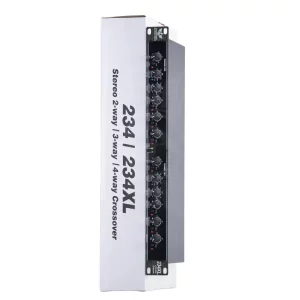
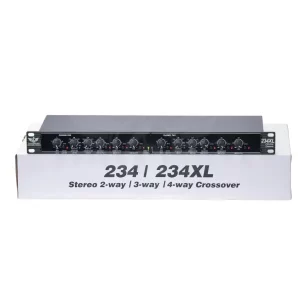
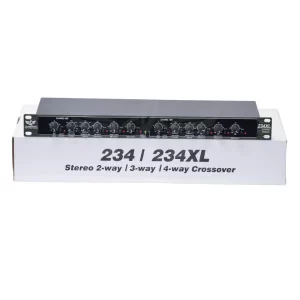
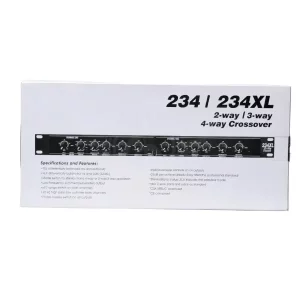
- Professional Dual Channel Stereo Graphic Equalizer: This equalizer is a professional dual-channel stereo graphic equalizer, providing you with a high-quality audio experience.
- 15-Band Design: Each channel of the equalizer has a 15-band design, with an adjustable range of ±12db for each band, allowing you to freely adjust according to your needs.
- Effective Elimination of Low Frequency Noise: 15 band graphic equalizer is equipped with a LOW-CUT switch, which can effectively eliminate low-frequency noise, making the sound quality more pure.
- Convenient Machine Debugging: Stereo equalizer is equipped with a BYPASS switch, which is convenient for machine debugging. It adopts a standard 1U rack-mount design, making installation simple and convenient.
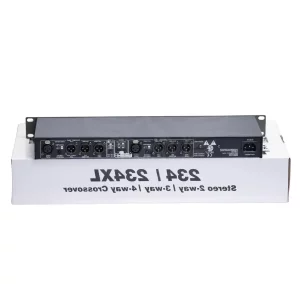
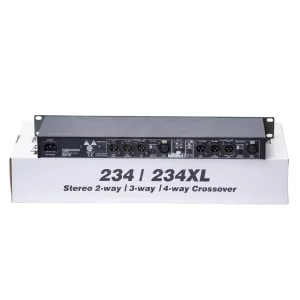
- Various Input and Output Methods: audio control equalizer supports XLR balanced and 1/4 TRS unbalanced inputs and outputs, meeting your different usage needs.
A graphic equalizer with a 2-channel selector
A graphic music equalizer with a 2-channel selector is a device used in audio systems to adjust the frequency response of audio signals and select between two different audio sources. Here’s a detailed description of its features and functionality:
- Equalization Bands: A graphic equalizer typically features multiple frequency bands, each with its own slider or control knob for adjusting the level of that frequency range. Common graphic equalizers have between 5 and 31 bands, allowing precise adjustment of the audio signal’s tonal balance.
- Frequency Range: The equalizer covers a range of frequencies from the low end (bass frequencies) to the high end (treble frequencies). The specific frequency range may vary depending on the model but typically spans from around 20 Hz to 20 kHz, covering the audible spectrum.
- Slider Controls: Each band on the equalizer typically has a slider control that allows you to boost or cut the level of that frequency range. These sliders are arranged in a linear fashion, with lower frequencies on the left and higher frequencies on the right.
- Center Frequencies: The center frequencies of each band are usually spaced logarithmically, with lower frequencies closer together and higher frequencies spaced farther apart. This allows for more precise control over the frequencies that are most audible to human ears.
- Q Factor: Some graphic equalizers allow you to adjust the “Q factor” or bandwidth of each frequency band, controlling how wide or narrow the affected frequency range is. This can be useful for targeting specific problem frequencies or making broad tonal adjustments.
- Level Controls: In addition to the equalization bands, the equalizer may also feature overall level controls for adjusting the output level of each channel. These controls allow you to match the output levels of different audio sources or compensate for differences in signal strength.
- Channel Selector: The 2-channel selector allows you to choose between two different audio sources or input channels. This is useful for switching between, for example, a CD player and a turntable, or between two different microphones.
- Input and Output Connections: The equalizer will have input and output connections for each channel, typically using RCA or 1/4-inch TRS connectors. These connections allow you to insert the equalizer into your audio signal chain between your audio sources (e.g., CD player, mixer) and your amplifier or speakers.
- Power Switch and Indicator: The equalizer may have a power switch and an indicator light to show when the unit is powered on. Some models may also have additional indicators to show when signals are present or when clipping occurs.
- Bypass Switch: Many graphic equalizers feature a bypass switch that allows you to bypass the equalization circuitry entirely, returning the audio signal to its original, unprocessed state. This can be useful for comparing the equalized and un-equalized signals or for troubleshooting purposes.
- Rack-mountable Design: Some graphic equalizers are designed to be mounted in standard equipment racks, allowing for easy integration into professional audio setups.
Overall, a graphic music equalizer with a 2-channel selector provides precise control over the frequency response of audio signals and the ability to switch between two different audio sources, making it a versatile tool for audio enthusiasts, DJs, musicians, and audio engineers.


Only logged in customers who have purchased this product may leave a review.























































Reviews
There are no reviews yet.